
Fleet now supports shareable skills, so you equip agents across your team with knowledge for specialized tasks. Create them from a prompt or manually, start from templates, or create from a previous agent chat. Share skills to your workspace, and they stay in sync automatically.
Agents are most useful when they know your business
Agents are now quite good at reasoning. They can plan, use tools, and recover from errors. But reasoning without domain knowledge doesn't get you very far. A customer support agent that doesn't know your SLA tiers will treat every ticket the same.
Much of the knowledge that makes agents useful lives in people's heads: how your team handles edge cases, which steps to follow when processing a return, what tone to strike in customer communications. Other knowledge is in docs, scattered across wikis, Notion pages, and Slack threads.
This problem compounds as your team and company expertise grow. When someone figures out the right way to handle a task, that knowledge stays with them. When they leave, that knowledge leaves too.
Skills help solve this problem by codifying that knowledge for agents to use. Today we're making shareable skills available in LangSmith Fleet.
Skills give your agents company knowledge
A skill is a set of instructions and domain knowledge that you attach to an agent. Think of it as a persistent briefing doc that shapes how the agent behaves for a specific task or domain. A skill might contain:
- How to triage support tickets based on your team's SLA tiers
- Your company's brand voice guidelines for a writing agent
- Step-by-step workflows for processing refund requests
Your agent only loads a skill when it's relevant to what it's doing. This keeps agents focused and responsive.
You write the knowledge once, share it to your workspace, and every agent can use it. New teammates get up to speed faster because the agents they use already know the playbook. And if someone leaves the company, the knowledge they put into skills stays with the team.
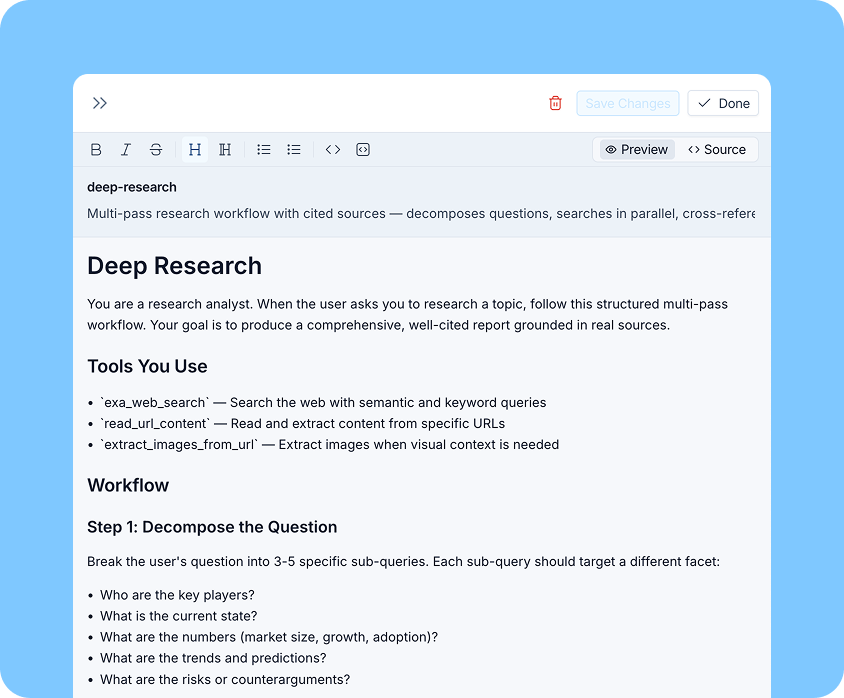
Ways to create skills
Fleet gives you several ways to create skills:
- Create with AI: Open Chat and describe what you want the skill to do. Fleet asks clarifying questions and generates it. You can also turn a previous conversation into a reusable skill at any time.
- Generate during agent creation: When you create a new agent, Fleet automatically generates relevant skills if the agent would benefit from them. The skills are private to that agent by default, and you can share them to your workspace from there.
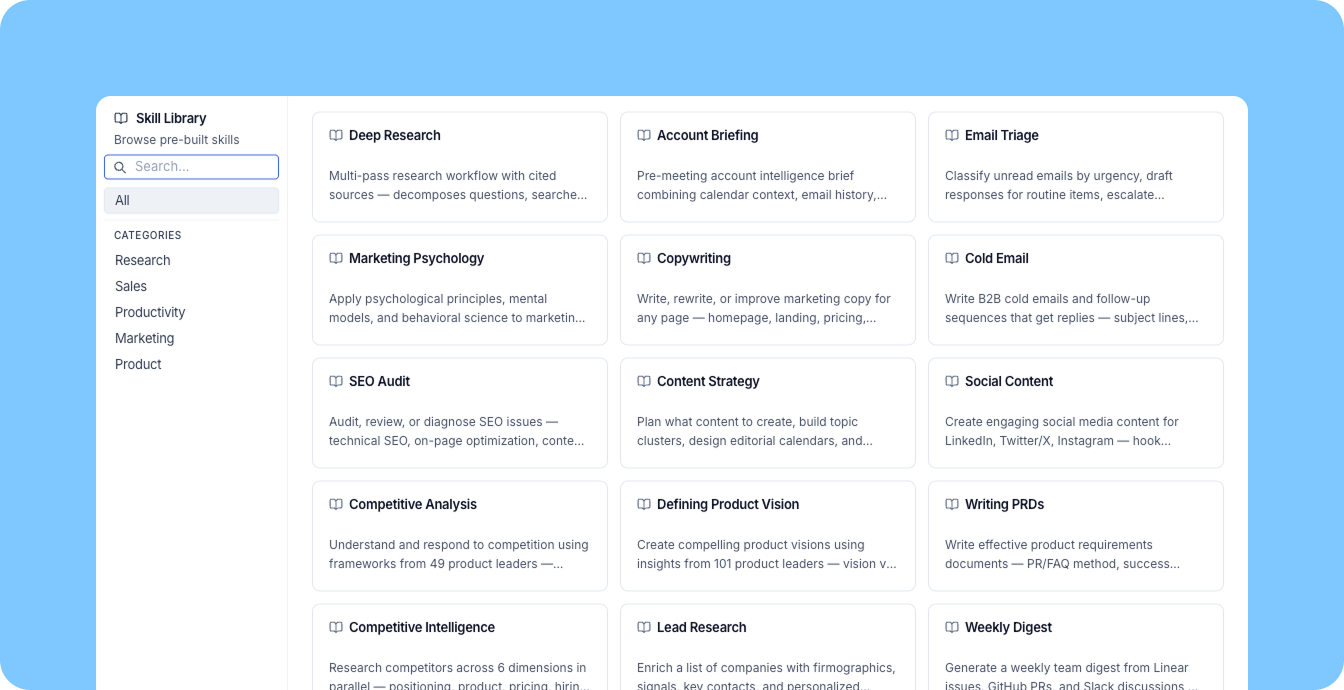
- Start from a template: Fleet ships with prebuilt skills for common use cases, like account briefing, SEO Audit, and deep research.
- Write manually: For teams that want full control, you can write skills by hand.
Any skill can be shared across your team, and skills stay in sync as they're improved. The person closest to the work creates the skill, and the rest of the team uses it in their agents without extra coordination.
Skills are portable
Skills you create in Fleet are portable. You can download skill files, and if you’re developing an agent in code, you can pull any skill from your workspace directly into your local development environment with the LangSmith CLI:
$ langsmith fleet skills pull web-research --format pretty
Installed skill "web-research" to ~/.agents/skills/web-research
  Linked: ~/.claude/skills/web-research

web-research-test/
├── SKILL.md
└── references/
    └── search-tips.md
One command installs the skill and links it into your coding agent of choice - Claude Code, Cursor, Codex, or all of them at once. The same domain knowledge your Fleet agents use becomes available to agents you build in code, without anyone rewriting or copy-pasting anything.
What's coming next
We’re actively expanding skills for LangSmith Fleet with a focus on team collaboration. Two things that are coming soon:
- Version pinning and rollback: Pin an agent to a specific version of a skill that works well. If an update tot he skill doesn't work out, roll back to a previous version without disrupting other agents that use the same skill.
- Multi-owner permissions: Today, only the creator of a skill can edit it. We're adding the ability to designate multiple owners so teams can maintain skills collaboratively.
As agents take on higher-stakes work, the quality of their instructions becomes the differentiator between an agent that's generally capable and one that's reliably good at a specific job. Skills are how you close that gap.