
Debugging agents is different from debugging anything else you've built. Traces run hundreds of steps deep, prompts span thousands of lines, and when something goes wrong, the context that caused it is buried somewhere in the middle.
We built Polly to be the AI assistant that can read a 300-step trace, spot the failure, and tell you exactly what happened. Today, Polly is generally available for LangSmith users.
What changed
Previously, Polly lived in a handful of places in LangSmith (trace pages, thread views, and the playground). We’ve now expanded the surface area of what Polly can do.
Here’s what’s different today:
- Polly lives across all LangSmith pages. Whether it’s tracing projects, runs, threads, experiments, datasets, annotation queues, evaluators, or the playground – Polly is available in every page or workflow at the bottom-right corner.
- Polly remembers the conversation. Start debugging a trace, switch to experiments to compare runs, come back, and Polly will still know what you were working on. This persistence across navigation reduces friction as you move from one view to another.
- Polly can take action. In addition to answering questions, Polly can also update your prompt, create datasets from failing runs, filter your project view, write evaluator code, and compare experiments. Hence, Polly is like an engineer on your team you can turn to for hands-on help.
Where Polly shines now
Follow the problem wherever it leads
The hardest debugging problems don't live on one page. You start in a trace, realize you need to compare to another experiment, pull an example into a dataset, then go fix the prompt. Polly now follows that workflow with you with context intact the whole way.
In a thread view, Polly can also be very powerful for analyzing a thread (i.e. an entire conversation between users and your agent) across many back-and-forth interactions. Instead of reading through every message yourself, just ask:
- "Did the user seem frustrated?"
- "What issues is the user experiencing?"
- "Was the user's problem solved?"
- "What was the main topic of this thread?"
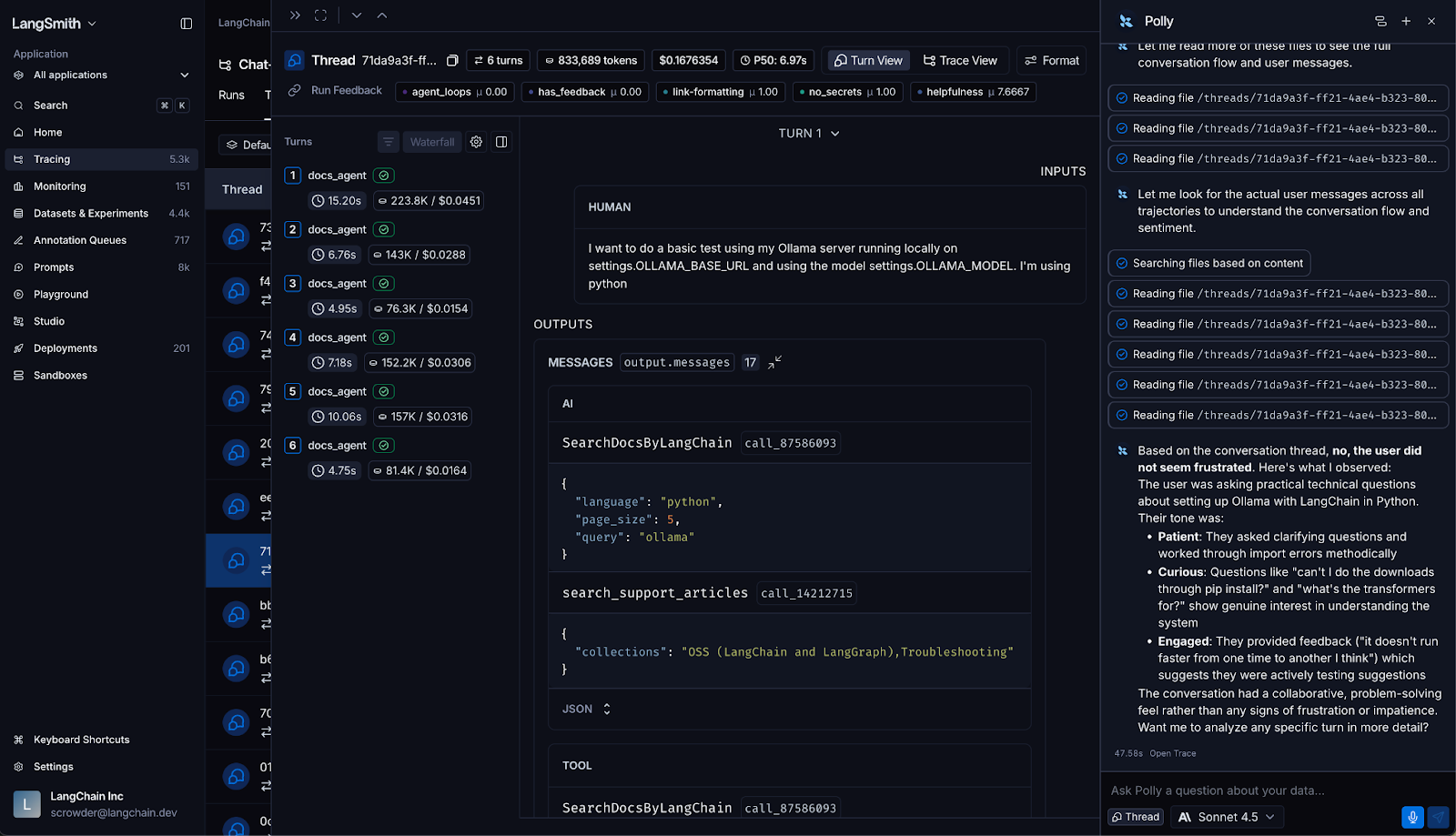
Polly answers from the full conversation context and can help you quickly understand user sentiment, conversation outcomes, and interaction patterns.
Write better evaluators, faster
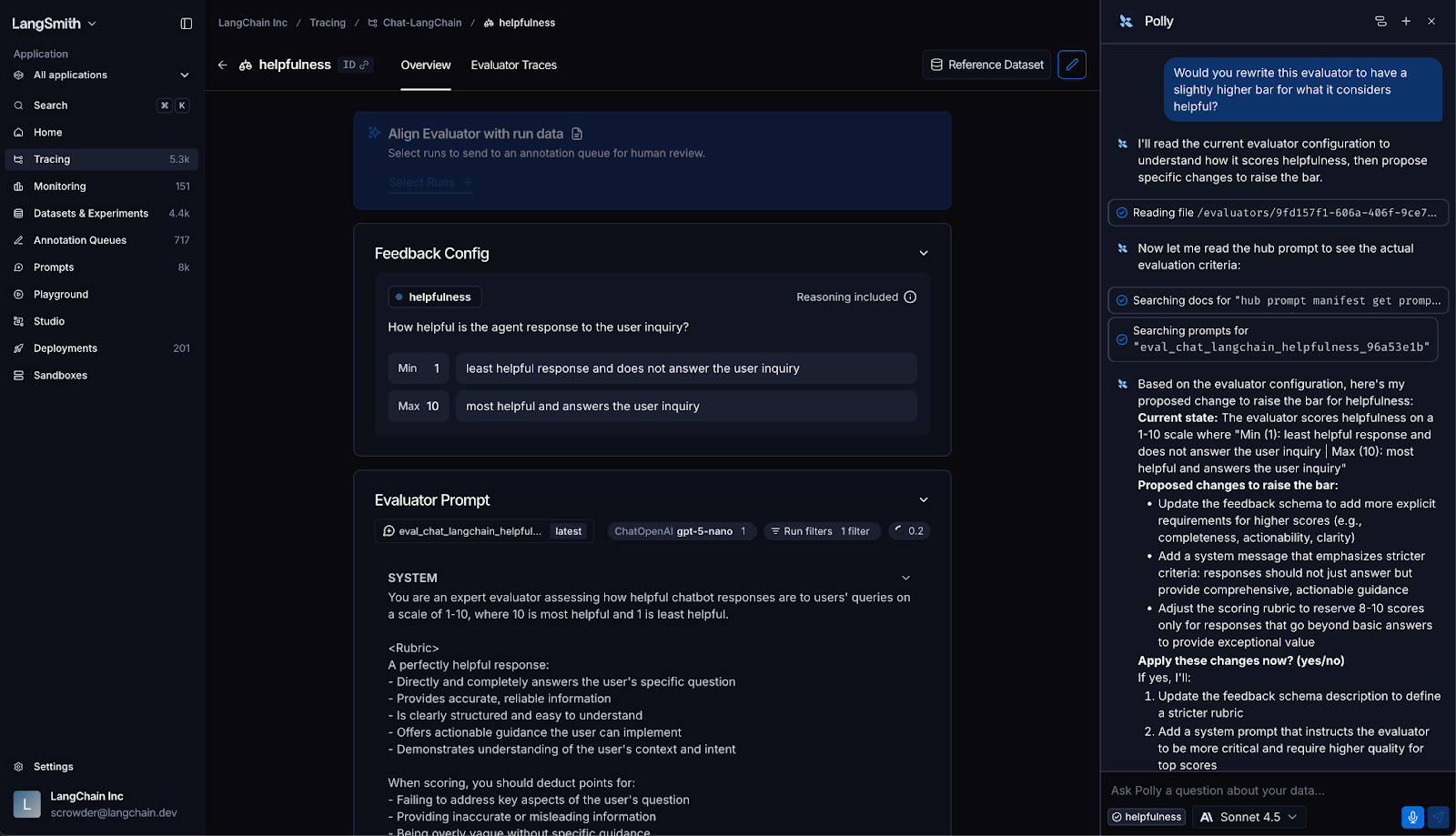
Polly now helps you write and refine evaluator logic directly in the Evaluators pane. Ask Polly to write an evaluator that checks for hallucinations, improve an existing one's accuracy, or add handling for edge cases. It can generate the code, explain what it's checking for, and iterate with you. This lets you spend less time on the scaffolding and more time on what the evaluator actually needs to catch.
Turn experiment results into a clear decision
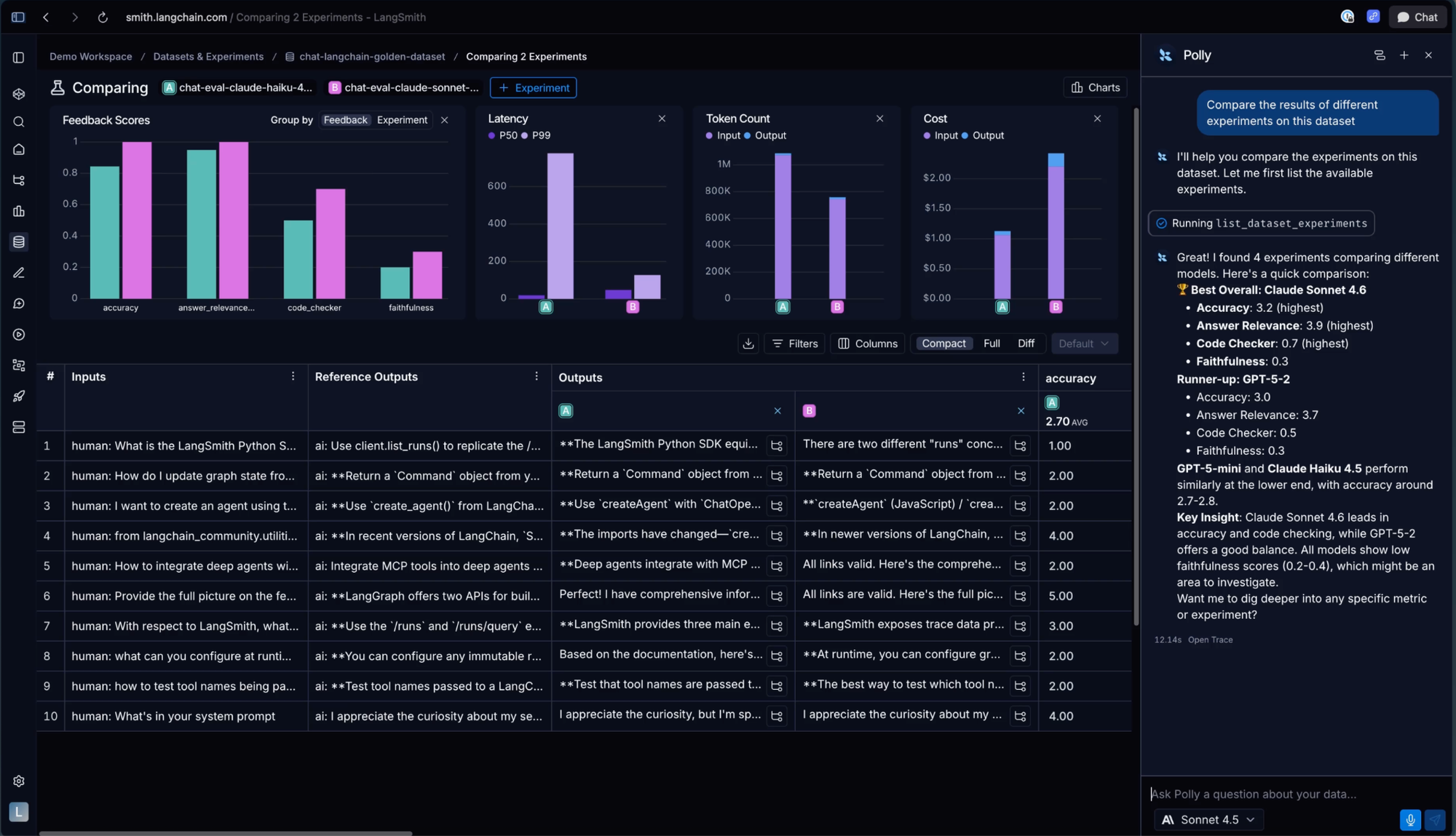
After running an eval, ask Polly which experiment performed best and it will give you a recommendation grounded in your actual data. You can ask Polly to compare two runs directly. This can help you make the call on which prompt change, model, or architecture actually moves the needle without having to manually parse every result yourself.
How we arrived at Polly
We spent a lot of time working with teams building production agents on LangSmith before we built Polly. The same failure patterns kept coming up: traces too long to scan, prompts too tangled to reason about, conversations too sprawling to follow.
Polly doesn’t replace the engineering judgment, but just handles the parts that slow you down. Polly knows what you're looking at, acts on it, and can stay with you for the whole session.
Get started
If you're already on LangSmith, Polly is waiting in the bottom-right corner. You can open Polly with Cmd+I (Mac) or Ctrl+I (Windows/Linux) on any page.
To start chatting with Polly, you’ll need to add an API key for your model provider set as a workspace secret, which takes just 2 minutes. Learn how in our docs.
If you're new to LangSmith, you’ll first want to set up tracing. Once your data is flowing into LangSmith, Polly can start helping you understand what's happening and how to improve it.