
Today, we're expanding who can build agents. Now, anyone can create production ready agents without writing code using LangSmith Agent Builder.
LangSmith Agent Builder is different from traditional AI workflow builders. Workflows require users to define a step-by-step approach to accomplish each task, with small components delegated to LLMs. They follow a fixed path and require a lot of thinking on edge cases up front. Agents, on the other hand, are dynamic. They reason on the fly and adapt to new information. We believe that for a wide range of productivity use cases, agents are better than workflows because they can:
- Figure out the appropriate steps to take. No need to map out every tool, action, or sequence. Agents can even create a plan and delegate complex work to subagents autonomously.
- Work on tasks until the job is complete by calling tools in a loop. For instance, agents can work over long time horizons, make multiple searches across different tools, synthesize findings, and keep going until they have what’s needed.
- Improve with your feedback. Agents can accurately execute a task over the course of a conversation with short-term memory. Or they can use long-term memory to capture your feedback and preferences, improve over time, and deliver reliably good results.
So for LangSmith Agent Builder, we skipped the if-this-then-that canvas and went straight to a proper agent. We aimed to combine as much power as possible, with the easiest mode to create: chat.
Try LangSmith Agent Builder for free.
As simple as Slacking a teammate
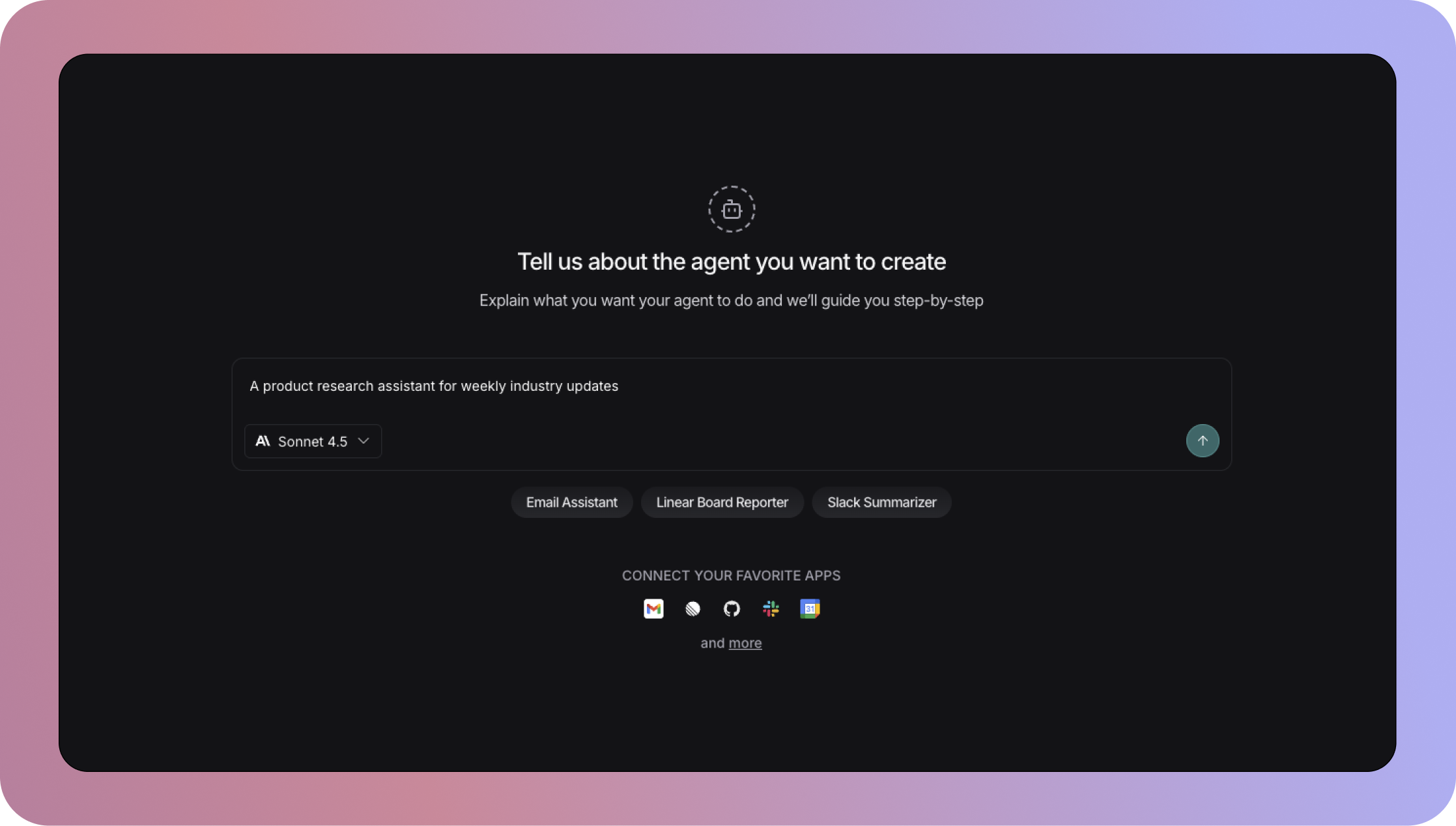
Creating an agent with Agent Builder is easy. Using chat, Agent Builder guides you from your initial idea to a deployed agent, creating detailed prompts and selecting the tools required to achieve your tasks.
Under the hood, Agent Builder is yet another agent designed to help you build your agent. It uses best practices we’ve learned by working with millions of developers around the world who are building and deploying agents at scale — from hyper-growth startups to industry-leading enterprises. That means you can create agents in a few minutes without code, while leaning on agent engineering principles employed by enterprise-grade production agents.
Since launching Agent Builder in private preview in October, users have built thousands of agents that handle everything from sales prospect research to bug ticket creation to email triage to sourcing talent. Now we're releasing Agent Builder in public beta for all LangSmith users, along with new tools, model options, and all new workspaces that make it simple to create, share, and collaborate across teams.
What's new with the beta release
- Bring your own tools: Connect external APIs and internal systems via an MCP server, then use those tools in your agents. Your team gets access to the capabilities you approve.
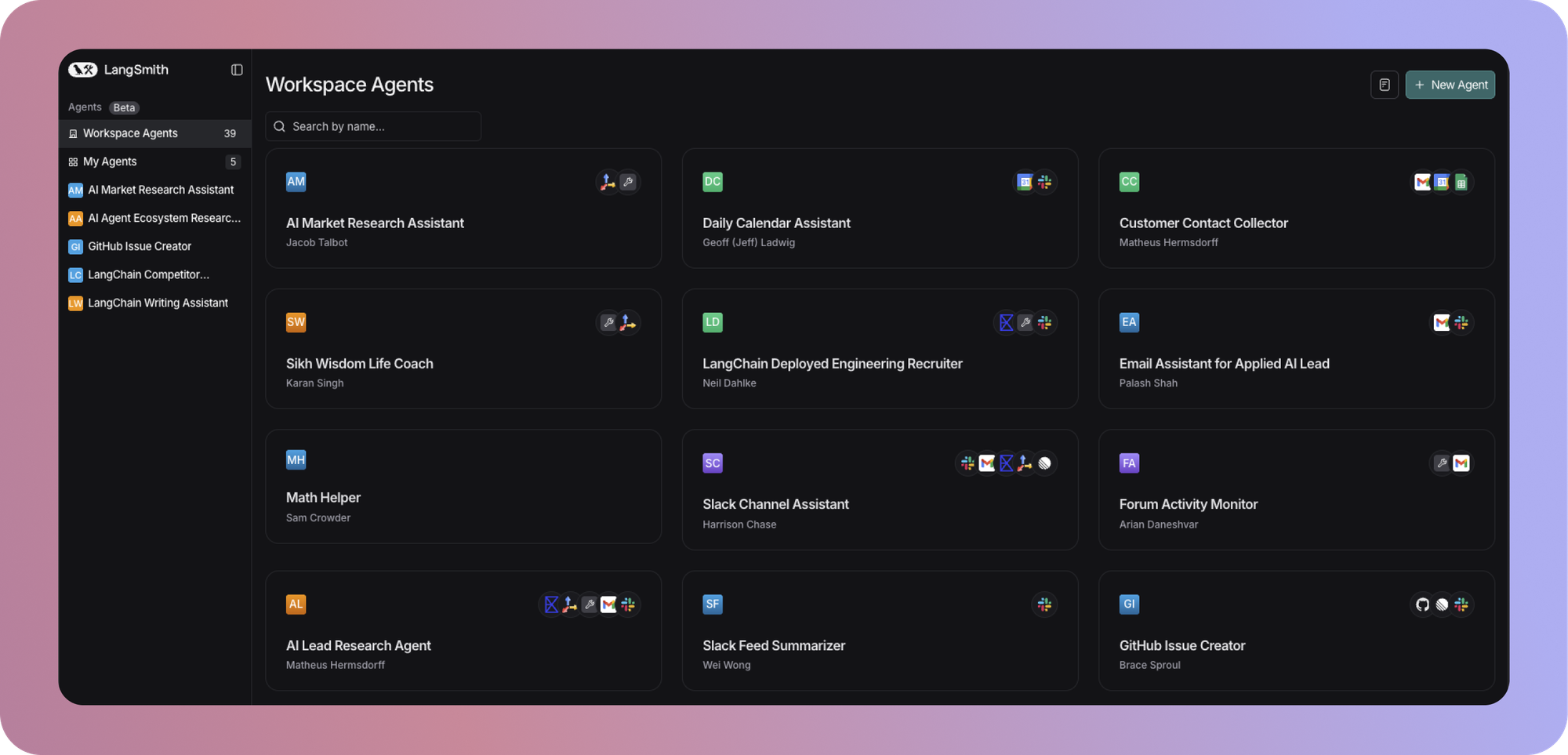
- Workspace agents: Browse, copy, and customize agents across your workspace. When someone builds something useful, everyone can adapt it for their own needs. One-click cloning means you don’t start from scratch.
- Multi-model support: Choose between OpenAI and Anthropic models depending on your task and preferred model.
- Programmatic invocation: Call agents via API to embed them into existing workflows and systems.
- Simplified UI: We've moved Agent Builder into its own tab in LangSmith, making it easier and faster for anyone in your company to create and manage agents without needing to understand tracing, observability, or evals in LangSmith.
Build an agent in 5 minutes
We’ve consistently heard two challenges with AI adoption from our customers.
- It’s hard to get the right tools in place. Team members want to use AI to increase productivity, but writing effective LLM prompts takes expertise, workflow automation tools have steep learning curves, and it's hard to know which tasks can be automated reliably. The result? Many people default to repetitive LLM chat instead of purpose-built agents.
- Technical teams need to balance speed, security, and employee autonomy. Giving people the flexibility to customize their own agents accelerates adoption and innovation, but those agents need the right guardrails.
Agent Builder addresses both of these challenges. It gives every employee an intuitive way to create agents, and it gives technical teams the ability to govern tools across the organization.
You operate like a manager, not a programmer
You describe what you want the agent to do, approve the right tools, and let your agent figure out the approach. Agent Builder helps you write the prompt, which often can be several paragraphs long or longer, and the agent uses long-term memory to learn from your feedback over time.
Update agents with natural language
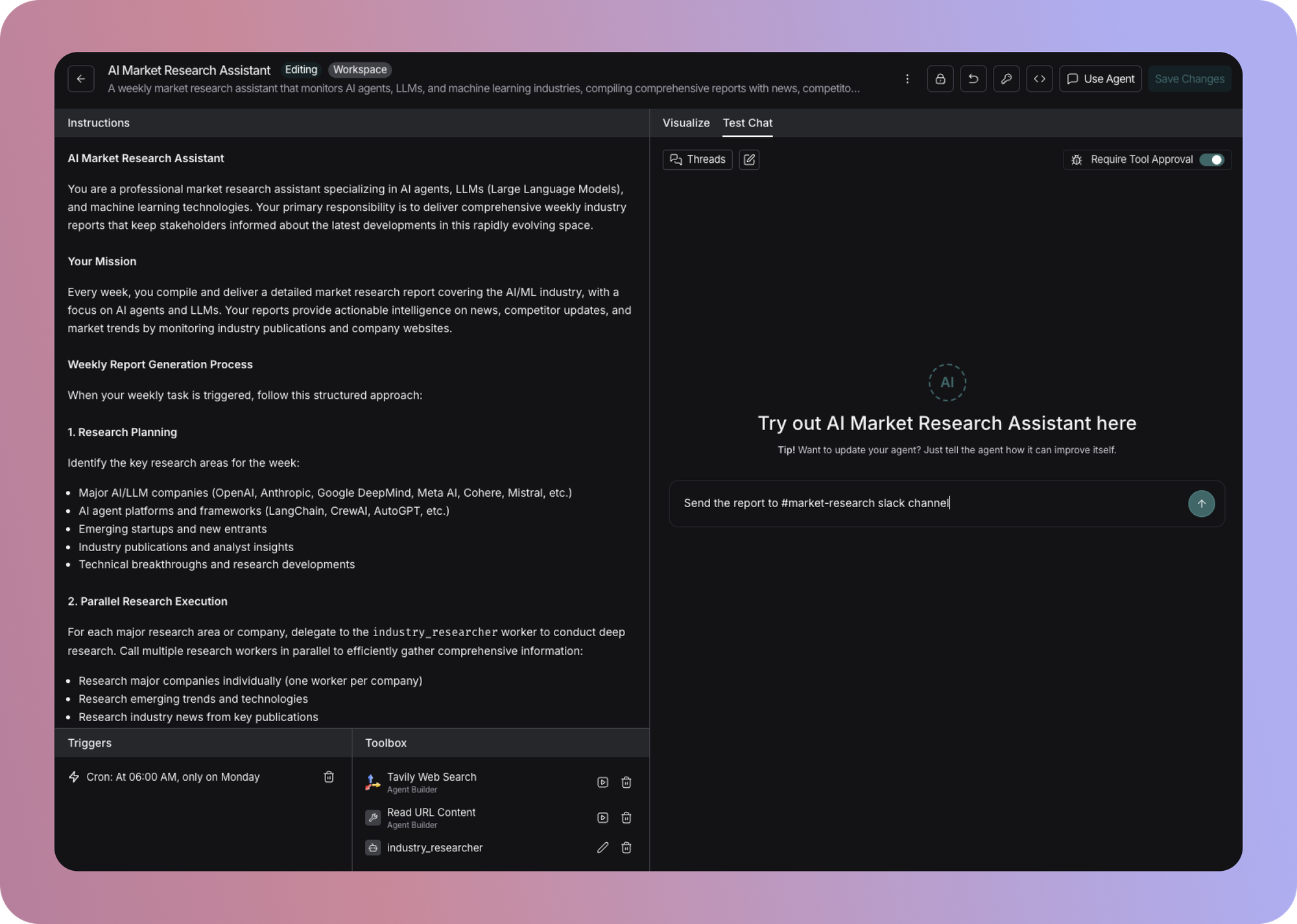
Need to extend or modify what your agent does? Just tell Agent Builder what to update. The agent stores your guidance in its system prompt. No rebuilding workflows.
Repurpose and scale agents securely across teams
Our new Agent Workspace lets you create templates that team members can clone and customize. Technical teams can provide secure access to internal tools through MCP servers, while non-technical teams can build on top of approved tools and authenticate using OAuth, without needing IT support for every change to an agent.
What people are building
It’s early days for Agent Builder, but we’re already seeing a few interesting patterns emerge.
Role-specific research agents
Nearly everyone does regular research for their work. Sales teams research prospects, marketers research competitors, recruiters research candidates. These tasks require multiple steps: find information (often across multiple sources), analyze it, synthesize key details, and turn insights into something useful like sending a message to your team or drafting an email. It's time-intensive, and it's hard to maintain depth when you're juggling other work.
These deep research tasks also require a feature that’s unique to agents. This process of research and analysis is possible because agents call tools and evaluate the result in a loop, continuing until determining that task is complete. This approach isn’t possible with a deterministic workflow builder in which tasks follow a predetermined path from beginning to end.
We've seen teams build research agents that cut hours-long processes down to background tasks that take a few minutes. And because the research happens automatically, teams can do it daily or weekly instead of waiting for rare blocks of focus time.
- Sales: Create a daily research report for each of your customer calls with an agent that reviews your calendar, creates a list of participants, searches relevant news, finds relevant past interactions and notes, and sends you a report each morning.
- Marketing: Stay on top of competitors with a weekly update on news, announcements, events, and product launches that impact your GTM strategy. Turn hours of research into a background task and get alerts sent to your team Slack channel. In this demo, we show how to create a market research agent in just a few minutes.
- Recruiting: Run a daily search for candidates that meet your target profile, prioritize them by the criteria that matter most, and have your agent draft an outbound message that you can review and approve, or edit and send.
Turning ambient information into tracked projects
If your team uses a ticketing system, such as for product and customer support, you know the friction of navigating multiple systems to create, update, and report on issues.
Natural language is a fast way to get from idea to execution. Teams are building agents that create Linear issues from Slack messages, analyze ticket trends on a schedule, and generate weekly reports with action items.
- Product and engineering: Create or update an existing Linear issue when someone in your product channel messages about a bug. Fill in details for scope, priority, and owner based on relevant information available in Slack, Salesforce, or Gong. Learn how to build a Linear issue agent in this demo.
- Customer support: Send your team a weekly Slack or email summary of Pylon tickets with trends and action items customized for each individual.
- Developer Education: Monitor GitHub contributions and get recommendations for new docs based on repo changes.
Communication and time-saving assistants
One of the most common use cases is also one of the simplest: small tasks that add up to significant time savings. Think of these as simple tasks that would take an engineer hours to code. But with Agent Builder, they take a few minutes to create and can save hours each week.
- Email: Make sure you respond to high priority messages while clearing inbox clutter. Create an email assistant that reads, labels, prioritizes, and drafts responses to inbound messages. You review and approve or edit and send. We show how to create an email agent in this demo.
- Calendar: Want at least two hours of focus time each day? Build an agent that monitors your calendar and blocks time when meetings exceed the threshold you specify.
- Slack: Stay on top of active Slack channels without constant context-switching. Get a summarized report with action items at the end of each day (or the cadence of your choice).
What's next
We're continuing to learn as more people put Agent Builder to work. If you're already using it, we'd love to hear what you're building and what you’d like to see next through our Slack Community.
If you're not using Agent Builder yet, you can try it for free using LangSmith today.