
Moda is an AI-native design platform for non-designers like marketers, founders, salespeople, and small business owners who need professional-grade presentations, social media posts, brochures, and PDFs without a design background. Think Canva or Figma, but with a Cursor-style AI sidebar that builds and iterates on designs directly on a fully editable 2D vector canvas.
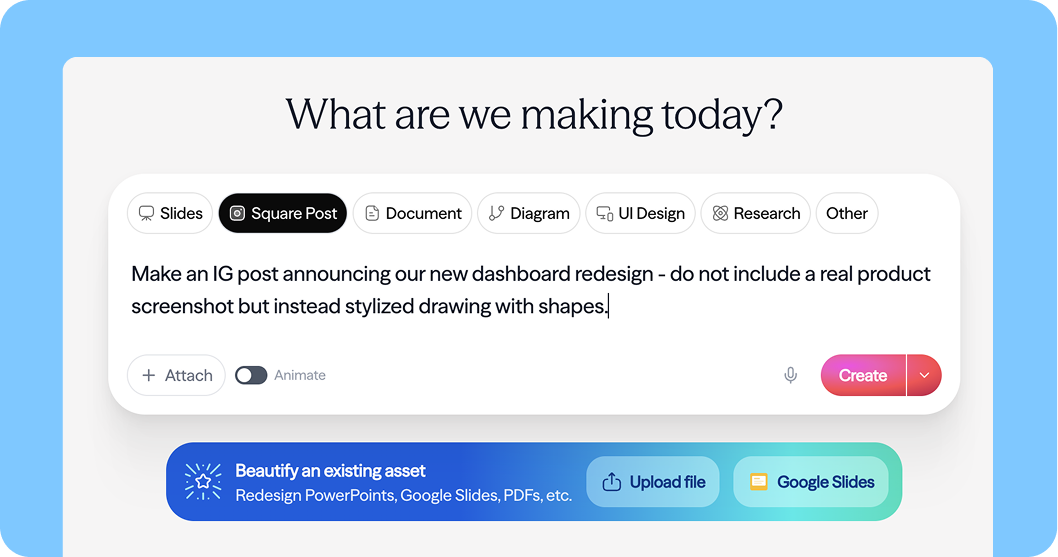
At the core of Moda is a multi-agent system built with Deep Agents, with LangSmith providing the observability layer that lets the team iterate quickly and ship with confidence.
The Challenge: Making AI Good at Visual Design
AI code generation works well partly because HTML and CSS already have layout abstractions like Flexbox and grid. You describe relationships and relative sizes, not pixel coordinates.
Visual design has no equivalent. The closest thing to a standard is PowerPoint's XML spec, a 40-year-old format packed with verbose, absolute XY coordinates that LLMs are notoriously bad at reasoning about. Tools that use XML produce designs that look like every other AI-generated deck.
Moda needed a system that could generate designs that actually look good, and an agent architecture capable of handling complex, multi-turn, visually-grounded tasks at production quality.
Agent Harness: Built on Deep Agents
Moda's AI system consists of three agents:
- Design Agent: the primary agent behind the Cursor-style sidebar, handling all real-time design creation and iteration on the canvas
- Research Agent: fetches and stores structured content from external sources (e.g., a company's website) into a per-user file system within Moda
- Brand Kit Agent: ingests brand assets (colors, fonts, logos, brand voice) from websites, uploaded brand books, or existing slide decks, so every design feels on-brand from the start
The Research Agent and Brand Kit Agent both run on Deep Agents. These are the team's newest agents, which they've invested in heavily. The Design Agent runs on a custom LangGraph loop — an older implementation built before Deep Agents — and the team is actively evaluating migrating it as well.
All three agents share the same overall architecture: a lightweight triage step, a main agent loop, dynamic context loading, and full tracing in LangSmith.
Context Engineering: The Details That Matter
Getting a design agent to produce genuinely good output that is visually coherent and brand-accurate (not just technically correct) required a lot of intentional context engineering.
Here's what Moda figured out.
A Custom DSL Instead of Raw Scene Graph
One of the hardest parts of building a design agent is figuring out how to represent visual layouts in a way LLMs can reason about effectively. Raw canvas state is verbose, coordinate-heavy, and token-expensive — not a natural fit for how models think about structure and layout.
Moda developed a context representation layer that gives the agent a cleaner, more compact view of what's on the canvas, which reduces token cost and improves output quality. The specifics are proprietary, but the general principle is the same one that makes LLMs effective at web development: give the model layout abstractions it can reason about, rather than raw numerical coordinates.
"LLMs are not good at math. PowerPoint's XML spec has a bunch of XY coordinates — that's a fine representation of the data, but it's not a great way for an LLM to describe where it wants things to live." — Ravi Parikh, Co-Founder, Moda.app
Deep Agents and LangSmith were critical here. The team used LangSmith traces extensively to evaluate how different context representations affected agent behavior, iterating on what information to include, how to structure it, and where caching breakpoints made the biggest difference to cost and latency.
Triage → Skills → Main Loop
Every request passes through a lightweight triage node (using fast and cheap Haiku models) before reaching the main agent. The triage node classifies the output format (slide deck, PDF, LinkedIn carousel, logo, etc.) and pre-loads the relevant skills, which are Markdown documents containing design best practices, format guidelines, and task-specific creative instructions.
Skills are injected as human messages, with prompt caching breakpoints placed after the system prompt and after the skills block. This keeps the system prompt fixed and always cached while allowing dynamic context injection per request.
The main agent can also pull in additional skills mid-loop if it determines it needs them. The triage step just front-loads the high-confidence ones to avoid an unnecessary extra turn.
Dynamic Tool Loading
The design agent runs with 12–15 core tools in context at all times. An additional ~30 tools are available on demand via a RequestToolActivation tool the agent can call when it recognizes a specialized need, like parsing an uploaded PowerPoint file.
Each additional tool costs 50–300 tokens in the prefix, and loading new tools breaks prompt caching. But the math works out: the vast majority of requests don't need the extra tools, so keeping context lean wins overall.
"If I just look at the data, most requests do not need any additional tools activated, and there's something really nice about only having 12 to 15 tools in context." — Ravi Parikh
Scaling Context to Canvas Size
Not every request needs full visibility into the entire project. For smaller canvases, the agent works with a complete view of the current state. For larger projects — a 20-slide deck, for instance — Moda dynamically manages how much context the agent receives, giving it a higher-level summary and letting it pull in details as needed through tooling.
This keeps token usage bounded without sacrificing the agent's ability to make informed design decisions across complex, multi-page projects. LangSmith's cost tracking per node made it straightforward to find the right balance between context richness and efficiency.
UX: The Cursor Moment for Design
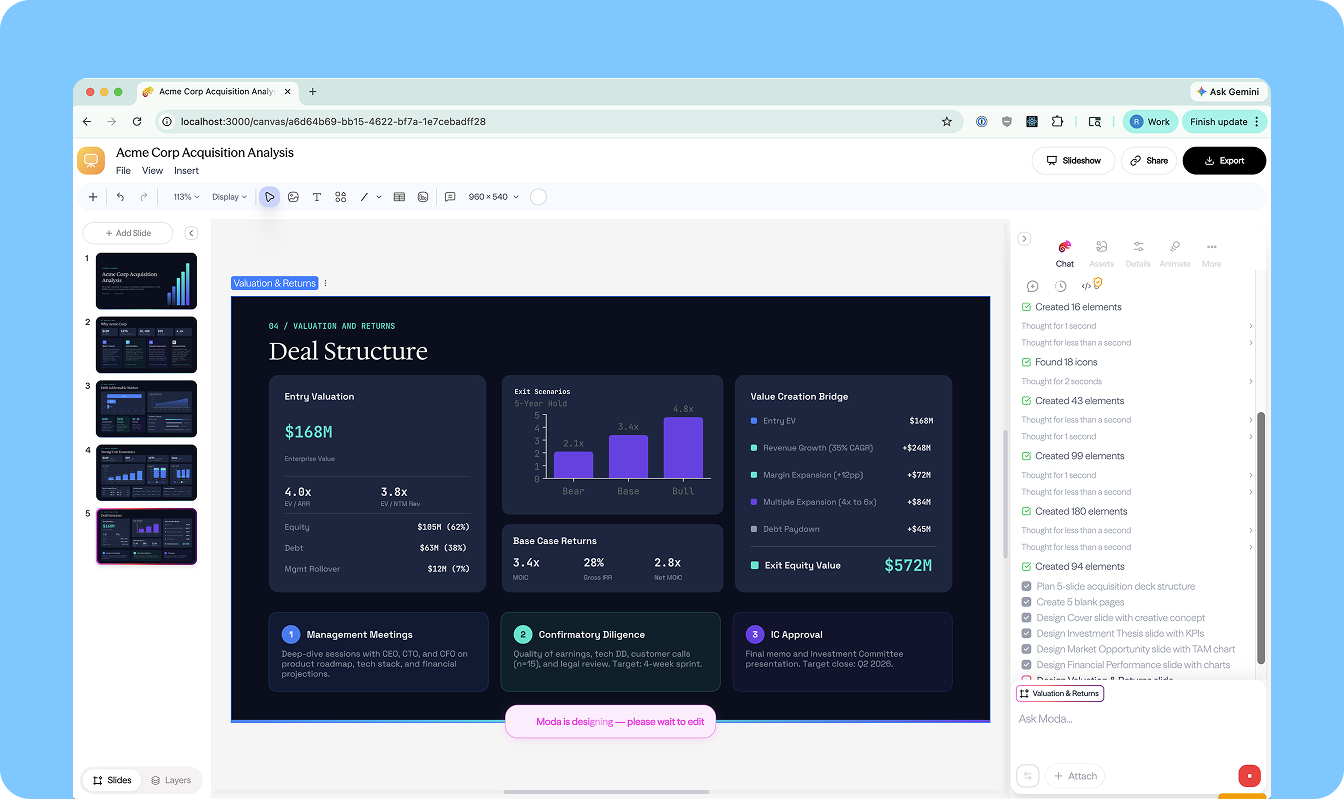
One of Moda's most deliberate product choices is the interaction model. Rather than a generate-and-replace flow, where AI produces a static output and hands it off, Moda's AI works directly on a fully editable 2D vector canvas. Every element the agent creates is immediately selectable, movable, resizable, and styleable by the user.
This changes the relationship between user and AI from "accept or reject" to genuine collaboration. The AI generates a solid starting point and the user refines it. Neither has to do all the work.
The Cursor-style sidebar reinforces this: it's always present, always contextually aware of what's on the canvas, and designed for iterative back-and-forth rather than one-shot generation. For non-designers especially, this removes the intimidation of the blank canvas while keeping them in control of the final result.
Observability with LangSmith
Because all three agents are traced through LangSmith, Ravi has full visibility into every execution. He keeps it open whenever he's actively developing.
Key workflows:
- Prompt & tool iteration: make a change, run a query, pull up the trace immediately to see exactly what the agent did and why
- Cost tracking: token cost broken down per node, making expensive steps easy to spot
- Cache hit analysis: especially important given the dynamic skill and tool loading; quickly surfaces where caching is working and where it's breaking down
- Error diagnosis: surfacing tool call failures and unexpected model behavior before they become user-facing issues
"If I'm iterating on the prompt, if I'm iterating on the tool set, I'm going to make a change, run a query, and then pull up that trace in LangSmith and just look at what happened... It's made us move faster." — Ravi Parikh
Moda doesn't yet run formal evals but it's on the roadmap. For now, LangSmith traces serve as the primary feedback loop for catching regressions and validating improvements.
Results & What's Next
Moda has found strong early product-market fit with B2B companies doing enterprise sales: teams that need polished, brand-accurate pitch decks fast. The combination of the fully editable canvas and the Deep Agents-powered backend means users get a professional starting point they can actually refine, not a static output they're stuck with.
Next up: wiring up the memory primitives that are already in place, completing the Deep Agents migration for the Design Agent, and expanding the brand context system to support multi-team, multi-brand enterprise customers.
Interested in building production AI agents? Get started with LangChain Deep Agents